What Does An IT Office Relocation Involve?
An IT office relocation moves everything invisible that your business depends on: internet services that must be ordered months ahead, cabling in the new walls, wireless coverage, phones, server equipment and every desk working on day one. The furniture is the easy half of an office move; the technology is where the deadlines hide.
The most expensive mistake happens before the move: signing a lease without checking what internet services the building can actually deliver. We would rather be involved that early.
How Can Grassroots IT Help With My IT Office Relocation?
A move is also the one moment when your whole IT setup is on the table anyway, which makes it the cheapest possible time to fix what has annoyed everyone for years. Here is how our IT office relocation services work.
The new office wired properly
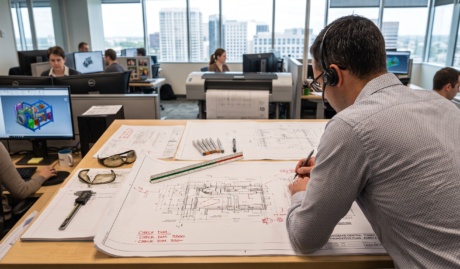
Data cabling where desks will actually be, wireless access points placed by measurement rather than hope, internet ordered against real lead times, and the comms room laid out so it stays maintainable. Buildings differ, and we assess the site before committing to a design.
The move as an upgrade opportunity
Old servers do not have to make the trip. A relocation is the natural moment to shift ageing equipment to the cloud, replace what is due, and retire the workarounds that grew in the old office. We plan those improvements into the move instead of moving the problems.
Cutover on a schedule your business can live with
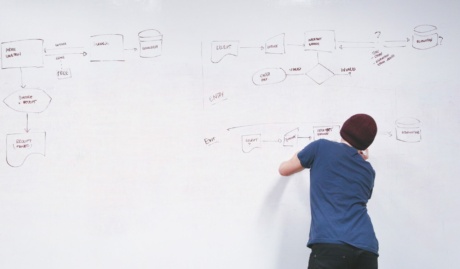
We sequence the move so downtime lands where it hurts least, usually a weekend: services live before the move, equipment shifted and tested against a checklist, and technicians on the floor for the first morning so day-one issues die quickly.
Why Choose Grassroots IT?
We have moved businesses of every shape across South East Queensland and beyond: single floors, whole buildings, staged moves across weekends. The pattern that matters is simple: plan early, order the long-lead items first, and cut over so staff leave the old office on Friday and simply start work at the new one on Monday.
The Grassroots IT Difference
With Grassroots IT as your IT solutions partner, you’ll benefit from:
Dedicated Account Manager
Receive a dedicated Account Manager who will understand your needs and offer ongoing, attentive service.
Direct Access To Solution Specialists
Need specialist advice? Tap into our expert guidance instantly with specialists who are trained to help resolve your urgent IT issues either remotely or in person.
Extended Helpdesk Hours
Need support? Our dedicated IT Help Desk is available even beyond business hours, providing our clients peace of mind.
On-Call Emergency Support
Genuine emergencies do not keep office hours. Beyond our extended-hours helpdesk, an on-call arrangement covers urgent after-hours issues, and automated monitoring runs continuously in the background.
Australia-Wide Onsite Support
Our IT Field Services support staff are located all across Australia, to ensure we can assist you whenever and wherever you need us.
Dedicated Onboarding Team
We believe that a strong partnership should be defined from the very beginning, which is why we offer you a specialised team to assist with onboarding.
Frequently Asked Questions
When should Grassroots IT be involved in our office relocation timeline?
Before you sign the lease, ideally. Internet lead times are the item most likely to delay a move (some services take six weeks or more to provision), and cabling is far cheaper while the fit-out is still open. Involved early, we make sure the connectivity is ordered, the cabling goes in with the electrical, and moving day is an unplugging exercise rather than a rebuild.
Will my business operations be interrupted during the transition?
The move itself is scheduled so your team finishes at the old office and starts at the new one, typically over a weekend. Cloud systems keep working from anywhere throughout; the physical cutover covers workstations, network and anything on premises, and we plan it around your calendar rather than ours.
How do you handle delicate equipment during the move?
Servers and network gear are shut down properly, backed up before anything is touched, transported by people who know which end is up, and verified running before we call it done. Screens and workstations travel packed and labelled per desk so the right kit lands on the right desk.