Why Office 365?
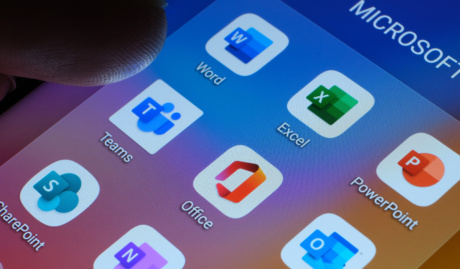
Office 365 is the name most people still use, and Microsoft retired it for business plans back in 2020: everything now lives under Microsoft 365. The tools themselves never went anywhere. Word, Excel, Outlook and PowerPoint sit alongside Teams, SharePoint and OneDrive, one subscription covering the lot.
If your invoice or your habits still say Office 365, you are exactly who this page is for. Chances are your plan has quietly gained capabilities since you first signed up, and checking what you now hold is usually worth twenty minutes.
Why Do I Need Office 365 Support?
Because a productivity suite only pays for itself when it is set up well and someone answers when it misbehaves. Wherever you are in Australia, our support runs remotely with onsite visits where they help. Here is what you get.
Beyond the everyday basics
Anyone can type a document. The gains hide one layer deeper: co-authoring instead of emailing versions, shared mailboxes handled properly, rules and templates that shave minutes off repeated work. We show your team the layer of the tools they never had time to find.
Configured for how your business works
A law practice, a plumbing contractor and a not-for-profit need different things from the same platform. We set up mail flow, file structure and permissions to match how your business operates, not a template, and we document what we did so it survives staff turnover.
Help that arrives while it matters
When email stops or a file will not open, waiting is expensive. Our Australian helpdesk answers through extended business hours, remote tools let us see the problem rather than describe it over the phone, and genuine after-hours emergencies reach an on-call engineer.
Why Choose Grassroots IT?
We have supported these tools since they were boxed software with version numbers, through every rename Microsoft has thrown at them. That history means we can meet your business wherever it is, from a server room full of legacy on-premises Exchange to a fully modern cloud tenant, and move you forward at a sensible pace.
The Grassroots IT Difference
With Grassroots IT as your IT solutions partner, you’ll benefit from:
Dedicated Account Manager
Receive a dedicated Account Manager who will understand your needs and offer ongoing, attentive service.
Direct Access To Solution Specialists
Need specialist advice? Tap into our expert guidance instantly with specialists who are trained to help resolve your urgent IT issues either remotely or in person.
Extended Helpdesk Hours
Need support? Our dedicated IT Help Desk is available even beyond business hours, providing our clients peace of mind.
On-Call Emergency Support
Genuine emergencies do not keep office hours. Beyond our extended-hours helpdesk, an on-call arrangement covers urgent after-hours issues, and automated monitoring runs continuously in the background.
Australia-Wide Onsite Support
Our IT Field Services support staff are located all across Australia, to ensure we can assist you whenever and wherever you need us.
Dedicated Onboarding Team
We believe that a strong partnership should be defined from the very beginning, which is why we offer you a specialised team to assist with onboarding.
Frequently Asked Questions
What is the main difference between Office 365 and Microsoft 365?
Mostly naming history. Microsoft retired the Office 365 name for small and mid-sized business plans back in 2020, folding everything into Microsoft 365, which bundles the familiar Office apps with security and device management features that vary by plan. If your invoice still says Office 365, the practical step is checking what your current licence actually includes, because it may have quietly gained capabilities.
Can I migrate my existing data and emails to Office 365?
Yes. Mailboxes, calendars, contacts and files all come across, and done properly nobody loses a day of email. We stage migrations so the old system keeps working until the moment the new one takes over, then verify everything landed before decommissioning anything. The businesses that get burned are the ones that treat migration as an afternoon job.
Is Office 365 suitable for small businesses?
Per-user monthly licensing means a five-person business gets the same tools as a five-thousand-person one, which was never true in the boxed-software era. The trap for small businesses is over-licensing. We regularly find teams paying for premium plans when a cheaper tier covers their actual usage, so part of our job is right-sizing what you pay.
Can you provide training on how to use Office 365?
Yes, and we keep it practical: sessions built around the tools your team actually touches, not generic courseware. The biggest gains are usually habits rather than features, like knowing when a conversation belongs in Teams versus email, or storing files where the whole team can find them instead of a personal desktop folder.