Why Power Platform?
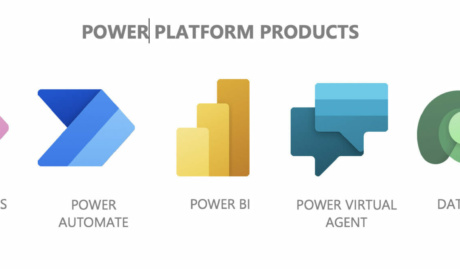
Power Platform is Microsoft’s toolkit for the work that falls between your big systems: Power BI for reporting, Power Apps for purpose-built applications, Power Automate for moving work between systems without rekeying. Each is useful alone. Together, on the Microsoft 365 identity and data you already have, they cover most of what businesses used to solve with spreadsheets and patience.
The practical appeal is the starting point: no new infrastructure, licensing that often rides on plans you hold, and results measured in weeks.
Why Do I Need Power Platform Support?
Because the platform hands power to people who have never had to think about data structure, security or what happens when the person who built the thing resigns. That is its strength and its risk. Our Power Platform support supplies the discipline that keeps citizen development an asset. Here is how.
Low-code with professional discipline
Your team can build; we make sure what they build lasts. That means sensible data foundations, naming conventions, environments that separate experiments from production, and a path for promoting the good ideas into tools the whole business can rely on.
Solving your processes, not generic ones
We start from the processes that actually slow your business down: the approval that lives in email, the report assembled by hand, the paper form re-typed at head office. Then we pick the right Power Platform tool for each, rather than forcing everything through one hammer.
Support for what you build
When a flow fails or an app misbehaves, someone who understands the platform picks it up through our helpdesk during extended business hours. We monitor the automations that matter, so a broken connection gets fixed before the process it runs quietly stalls.
Why Choose Grassroots IT?
The Power Platform is the engine room of our Grassroots Digital practice. We build reports, apps and automations with it for clients every week, run our own business on it, and back it with the same team that manages the Microsoft environments underneath, so governance is designed in rather than bolted on.
The Grassroots IT Difference
With Grassroots IT as your IT solutions partner, you’ll benefit from:
Dedicated Account Manager
Receive a dedicated Account Manager who will understand your needs and offer ongoing, attentive service.
Direct Access To Solution Specialists
Need specialist advice? Tap into our expert guidance instantly with specialists who are trained to help resolve your urgent IT issues either remotely or in person.
Extended Helpdesk Hours
Need support? Our dedicated IT Help Desk is available even beyond business hours, providing our clients peace of mind.
On-Call Emergency Support
Genuine emergencies do not keep office hours. Beyond our extended-hours helpdesk, an on-call arrangement covers urgent after-hours issues, and automated monitoring runs continuously in the background.
Australia-Wide Onsite Support
Our IT Field Services support staff are located all across Australia, to ensure we can assist you whenever and wherever you need us.
Dedicated Onboarding Team
We believe that a strong partnership should be defined from the very beginning, which is why we offer you a specialised team to assist with onboarding.
Frequently Asked Questions
What is Power Platform best suited for?
Automating the processes that currently live in spreadsheets, email chains and someone’s memory: approvals, forms, registers, recurring reports. The best return comes where a repetitive process crosses several systems, because that is exactly the work people find tedious and machines find easy. Leave requests, incident forms and job status reporting are typical first wins.
How does Power Platform integrate with my other Microsoft services?
Natively, which is its main advantage. It reads the data your business already holds in Microsoft 365: SharePoint lists, Teams, Outlook, Excel and Dataverse, all under the same login your staff use every day. Beyond Microsoft there are hundreds of connectors to systems like Xero and common line-of-business platforms, so a flow can span your whole toolchain.
How secure is my data with Power Platform?
It inherits your Microsoft 365 identity and permissions, so nobody sees data through an app they could not see directly. The real risk is ungoverned building, where well-meaning staff wire up flows that move data somewhere it should not go. We set up the data loss prevention policies and environment structure that keep citizen development useful rather than dangerous.