Why Microsoft 365?
We recommend Microsoft 365 because for most Australian businesses it has become the sensible default: email, files, Teams, the Office apps and a serious security stack, under one licence and one login. The pricing scales per person per month, so a twelve-person firm runs the same platform as a national operator.
The catch is the gap between what businesses pay for and what they switch on. Business Premium alone includes device management and security tooling that most tenants never enable. Closing that gap is often the cheapest IT improvement available.
Why Do I Need Microsoft 365 Support?
Because the platform changes constantly and nobody on your team was hired to keep up with it. Licensing shifts, features arrive and retire, and the security settings that matter drift out of date quietly. Our Microsoft 365 support keeps the platform working for you rather than the other way around.
Use what you already pay for
We audit what your licences include against what your business actually uses, then close the gap: security features enabled, the right apps in front of the right people, and duplicate third-party subscriptions retired because Microsoft 365 already covers them.
Licensing that fits, then flexes
We right-size plans per role rather than buying one tier for everyone, and adjust as people join and leave. Businesses moving from another platform get a staged migration where mail keeps flowing and nobody loses a day of email.
Someone watching the platform for you
Microsoft ships changes to 365 every month, some welcome, some disruptive. We track what is coming, apply what helps, defend against what does not, and keep your team across the features worth their attention, so the platform improves without surprising anyone.
Why Choose Grassroots IT?
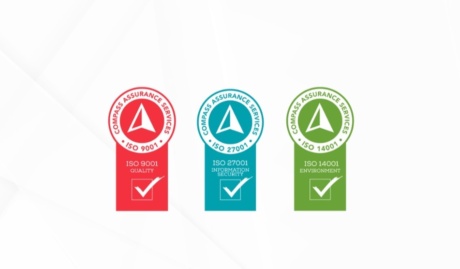
Microsoft 365 has been the centre of our practice for as long as the platform has existed, across hundreds of tenants in every configuration. We are a triple ISO certified Microsoft specialist, and we hold our own tenant to the standard we configure for clients, which keeps our advice honest.
The Grassroots IT Difference
With Grassroots IT as your IT solutions partner, you’ll benefit from:
Dedicated Account Manager
Receive a dedicated Account Manager who will understand your needs and offer ongoing, attentive service.
Direct Access To Solution Specialists
Need specialist advice? Tap into our expert guidance instantly with specialists who are trained to help resolve your urgent IT issues either remotely or in person.
Extended Helpdesk Hours
Need support? Our dedicated IT Help Desk is available even beyond business hours, providing our clients peace of mind.
On-Call Emergency Support
Genuine emergencies do not keep office hours. Beyond our extended-hours helpdesk, an on-call arrangement covers urgent after-hours issues, and automated monitoring runs continuously in the background.
Australia-Wide Onsite Support
Our IT Field Services support staff are located all across Australia, to ensure we can assist you whenever and wherever you need us.
Dedicated Onboarding Team
We believe that a strong partnership should be defined from the very beginning, which is why we offer you a specialised team to assist with onboarding.
Frequently Asked Questions
Why should I choose Microsoft 365?
For most businesses it is the default for a reason: email, file storage, Teams and the Office apps under one licence and one login. The more useful question is whether you are on the right plan and using what you already pay for. Many businesses we meet are licensed for security and automation tools they have never switched on.
Is Microsoft 365 safe and secure?
The platform is. Individual tenants often are not, because Microsoft secures the infrastructure while settings like multi-factor authentication, conditional access and backup remain your responsibility. That split surprises people. Our role is to configure those controls properly and keep watching them, which is where most real-world risk actually lives.
Can Grassroots IT assist in migrating to Microsoft 365?
Yes. We have moved businesses across from on-premises Exchange, Google Workspace and various ageing hosted platforms. The work is in the planning: staging the cutover so mail keeps flowing, mapping file structures before they move, and supporting staff through the first weeks on the new tools rather than leaving them to Google it.