What Is Microsoft Power Apps?
Power Apps is the app-building arm of Microsoft’s Power Platform. It turns data you already hold, in SharePoint lists, Dataverse or your line-of-business systems, into working applications with forms, logic and mobile-friendly screens, without a traditional development project.
Where it shines is the long tail of business software: the site inspection checklist, the equipment register, the quoting calculator. Tools too specific for off-the-shelf products and too small to justify custom development, which is exactly why they usually stay stuck in spreadsheets.
Why Do I Need A Microsoft Power Apps Consultant?
Because the platform is approachable and the discipline is not. Anyone can drag fields onto a screen; fewer can design the data layer underneath so an app stays fast, secure and maintainable as it grows. Our Power Apps consultants bring both halves. Here is what that means in practice.
Working software in days, not quarters
We scope the smallest genuinely useful version of an app and ship it while the problem is still warm, then let real usage shape version two. A form-based app over existing data can be live within days; the discipline is resisting the urge to build everything at once.
Built around your process, not despite it
The apps worth building mirror how your teams actually work: your terminology, your approval chain, your site workflow. We design screens a field worker can use one-handed on a phone in the rain, because an app nobody opens returns nothing.
A fraction of traditional development cost
Power Apps licensing often rides on Microsoft 365 plans you already pay for, and low-code building cuts delivery time dramatically. The trade-off is less pixel-level control than fully custom software, which for internal business tools almost never matters.
Why Choose Grassroots IT?
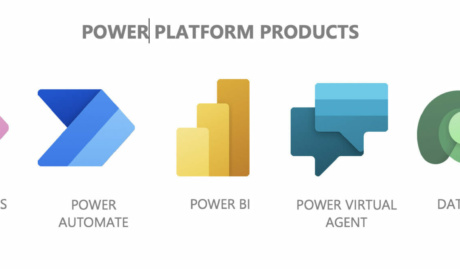
App development sits inside our Grassroots Digital practice alongside automation and data, so an app we build can trigger Power Automate flows, feed Power BI dashboards and inherit the same governance. And because we also run the wider Microsoft environment for many of our clients, the security model underneath is never an afterthought.
The Grassroots IT Difference
With Grassroots IT as your IT solutions partner, you’ll benefit from:
Dedicated Account Manager
Receive a dedicated Account Manager who will understand your needs and offer ongoing, attentive service.
Direct Access To Solution Specialists
Need specialist advice? Tap into our expert guidance instantly with specialists who are trained to help resolve your urgent IT issues either remotely or in person.
Extended Helpdesk Hours
Need support? Our dedicated IT Help Desk is available even beyond business hours, providing our clients peace of mind.
On-Call Emergency Support
Genuine emergencies do not keep office hours. Beyond our extended-hours helpdesk, an on-call arrangement covers urgent after-hours issues, and automated monitoring runs continuously in the background.
Australia-Wide Onsite Support
Our IT Field Services support staff are located all across Australia, to ensure we can assist you whenever and wherever you need us.
Dedicated Onboarding Team
We believe that a strong partnership should be defined from the very beginning, which is why we offer you a specialised team to assist with onboarding.
Frequently Asked Questions
How quickly can I expect to have a functional app using Power Apps?
A straightforward form-based app over data you already hold, like a site inspection checklist or an equipment register, can be working in days. What stretches timelines is integration with other systems and the edge cases nobody mentions until testing. Our approach is to scope the smallest genuinely useful version, ship it, and let real usage tell us what version two needs.
How do Microsoft Power Apps differ from other app development platforms?
Power Apps lives inside your Microsoft 365 tenant, so identity, security and much of your data are already there before you write anything, and licensing is often covered by plans you hold today. The trade-off against traditional custom development is honest: you give up pixel-perfect control and gain speed, lower cost, and an app your own team can maintain after we hand it over.
How secure are apps created using Microsoft Power Apps?
The app itself inherits your tenant’s identity controls, including multi-factor authentication, so there is no separate password to leak. What actually determines security is the data layer underneath: an app is only as private as the SharePoint list or Dataverse table it reads. We design those permissions first, so the app cannot show anyone something they were never meant to see.