Why Use Microsoft Teams?
Most businesses we meet already own Microsoft Teams through their Microsoft 365 licence. Fewer are getting real value from it. Chat, meetings, calling and files all run through one platform, with files living in SharePoint under your existing permissions, so a well-configured Teams environment quietly becomes the way the whole business works.
That last part is the catch: Teams rewards deliberate setup and punishes the default one. The difference between a workspace people trust and a sprawl of duplicate teams and lost files is rarely the software. It is the decisions made before and during rollout.
Why Do I Need Microsoft Teams Consultancy Services?
Because switching Teams on is easy, and making it work the way your business does is not. Our Microsoft Teams consultants bring the setup, governance and adoption experience of two decades as Microsoft specialists, so you end up with a platform that is structured, secure and actually used. Here is what that looks like in practice.
A structure people can find things in
We design teams, channels and file libraries around how your work actually flows, with naming conventions that survive growth. When the structure mirrors the business, people stop asking where things live, and new starters find their feet in days rather than weeks.
Governance and security from day one
Guest access rules, external sharing limits and meeting controls, set deliberately rather than left on defaults. The result is a Teams environment you can defend in a security review: who can see what becomes a decision you made, not something that happened.
Adoption, training and ongoing support
A rollout only succeeds when people change how they work, so we train your team on the habits that matter and stay on afterwards. Our helpdesk supports your staff through extended business hours, with an on-call arrangement covering genuine after-hours emergencies.
Why Choose Grassroots IT?
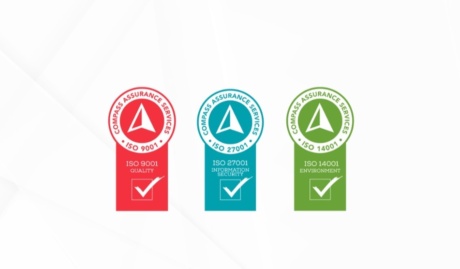
Consulting advice is only as good as the operational depth behind it. We have run Microsoft environments for Australian businesses since 2005, we hold triple ISO certification spanning security and quality, and our consultative approach follows the same arc every time: identify the right problems, implement properly, then stay to support what we built.
The Grassroots IT Difference
With Grassroots IT as your IT solutions partner, you’ll benefit from:
Dedicated Account Manager
Receive a dedicated Account Manager who will understand your needs and offer ongoing, attentive service.
Direct Access To Solution Specialists
Need specialist advice? Tap into our expert guidance instantly with specialists who are trained to help resolve your urgent IT issues either remotely or in person.
Extended Helpdesk Hours
Need support? Our dedicated IT Help Desk is available even beyond business hours, providing our clients peace of mind.
On-Call Emergency Support
Genuine emergencies do not keep office hours. Beyond our extended-hours helpdesk, an on-call arrangement covers urgent after-hours issues, and automated monitoring runs continuously in the background.
Australia-Wide Onsite Support
Our IT Field Services support staff are located all across Australia, to ensure we can assist you whenever and wherever you need us.
Dedicated Onboarding Team
We believe that a strong partnership should be defined from the very beginning, which is why we offer you a specialised team to assist with onboarding.
Frequently Asked Questions
Why is Microsoft Teams superior to other communication platforms?
For a business already on Microsoft 365, Teams wins on integration rather than any single feature: chat, meetings, calling and files in one place, with the files actually living in SharePoint under your existing permissions and one login covering the lot. Against competitors on their own merits it is a closer contest, so our advice depends on your stack. If you are paying for Microsoft 365, you already own the strongest option.
Can we integrate our existing tools and software with Microsoft Teams?
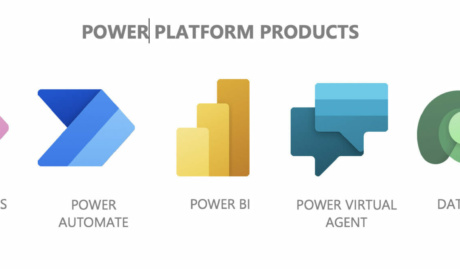
Yes. Most business platforms offer a Teams app or connector, so approvals, alerts and dashboards from other systems can surface inside Teams rather than in another browser tab. Where no off-the-shelf integration exists, the Power Platform fills the gap, and we have built Teams-based approval flows and notifications over systems that never heard of Microsoft.
What does Grassroots IT's Microsoft Teams support include?
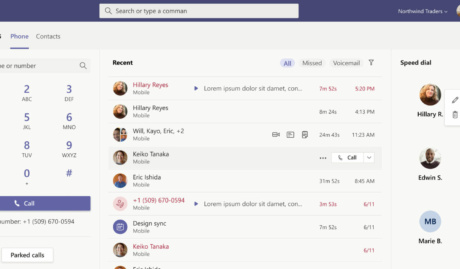
Setup and governance first: naming conventions, team sprawl control, guest access rules and file structure, because an ungoverned Teams rollout turns into digital landfill within a year. After that, day-to-day helpdesk support for your staff, and Teams Phone if you want calling in the same place. The governance piece is the part businesses skip and later wish they had not.
Can Grassroots IT help with Microsoft Teams security?
Yes. The common gaps are external ones: guest accounts that outlive their projects, files shared with “anyone with the link”, and meeting settings that let strangers straight in. We tighten guest access and external sharing policies, apply sensitivity labels where they earn their keep, and review the settings periodically, since Teams security drifts as people use it.